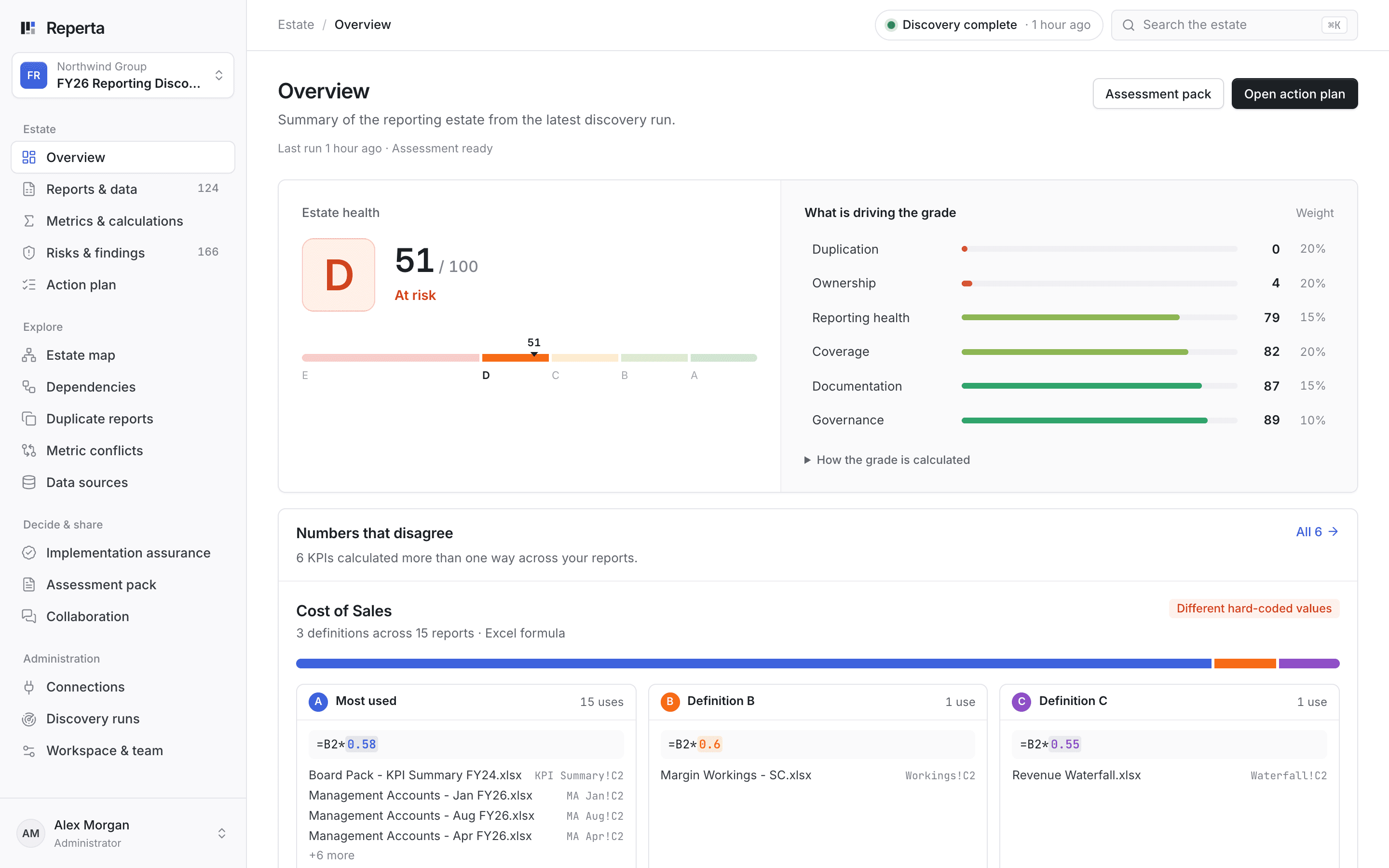
Know how healthy the estate is
One grade from A to E, weighted across ownership, duplication, coverage and documentation.
Reperta scans the spreadsheets, SQL, SSRS reports and BI models behind your numbers. Within one week you have a Day-0 discovery pack: what exists, what matters, where the risk is and where to start.
Read-only access. Priced per discovery. You keep the pack.

The Reperta workspace, shown with Northwind Group, a demonstration estate. Not a customer result.
Reads reporting logic across
Three views your team will use first. Cropped from the product, using demonstration data.
One grade from A to E, weighted across ownership, duplication, coverage and documentation.
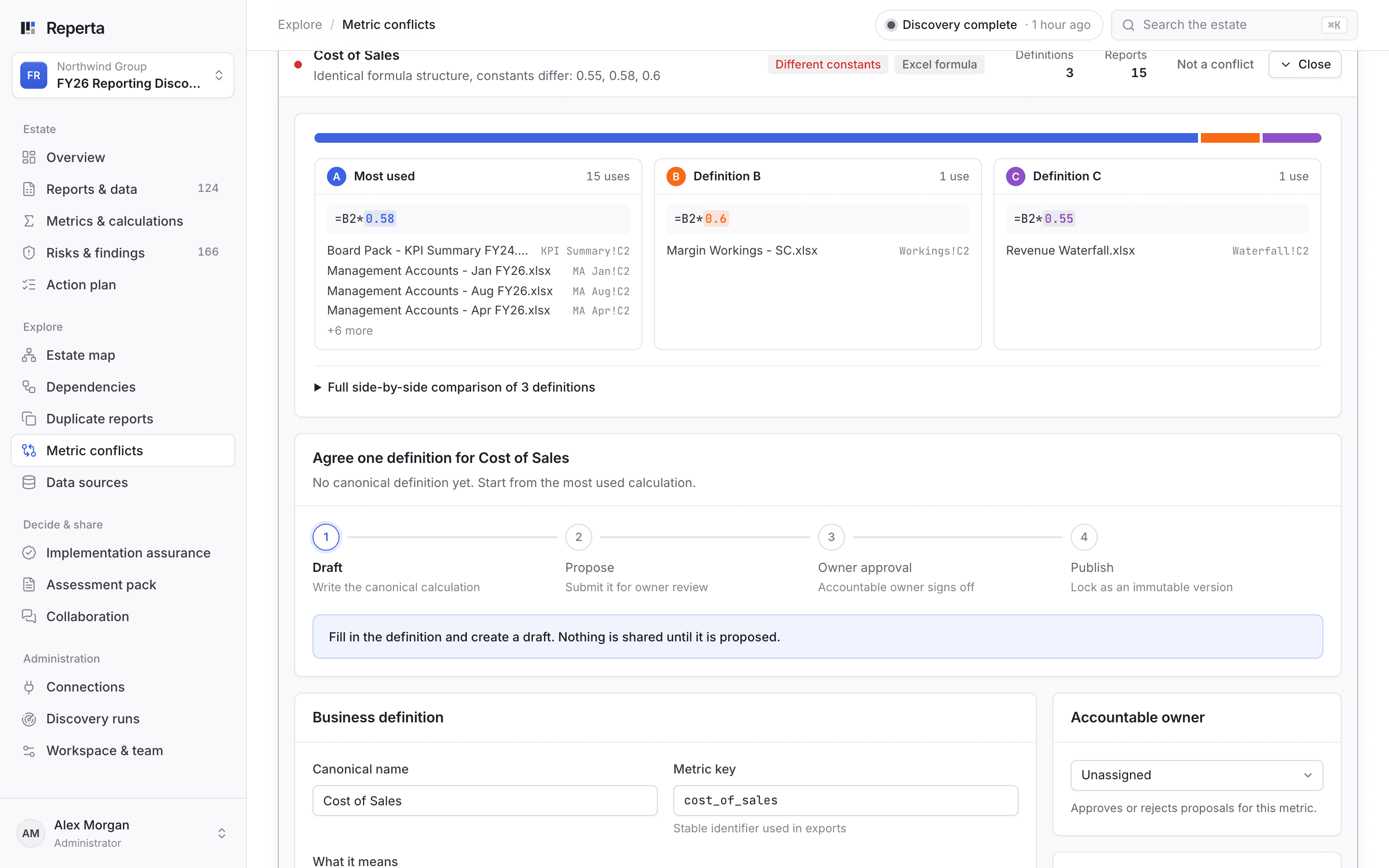
One KPI calculated several ways, compared side by side with the differing constants highlighted.
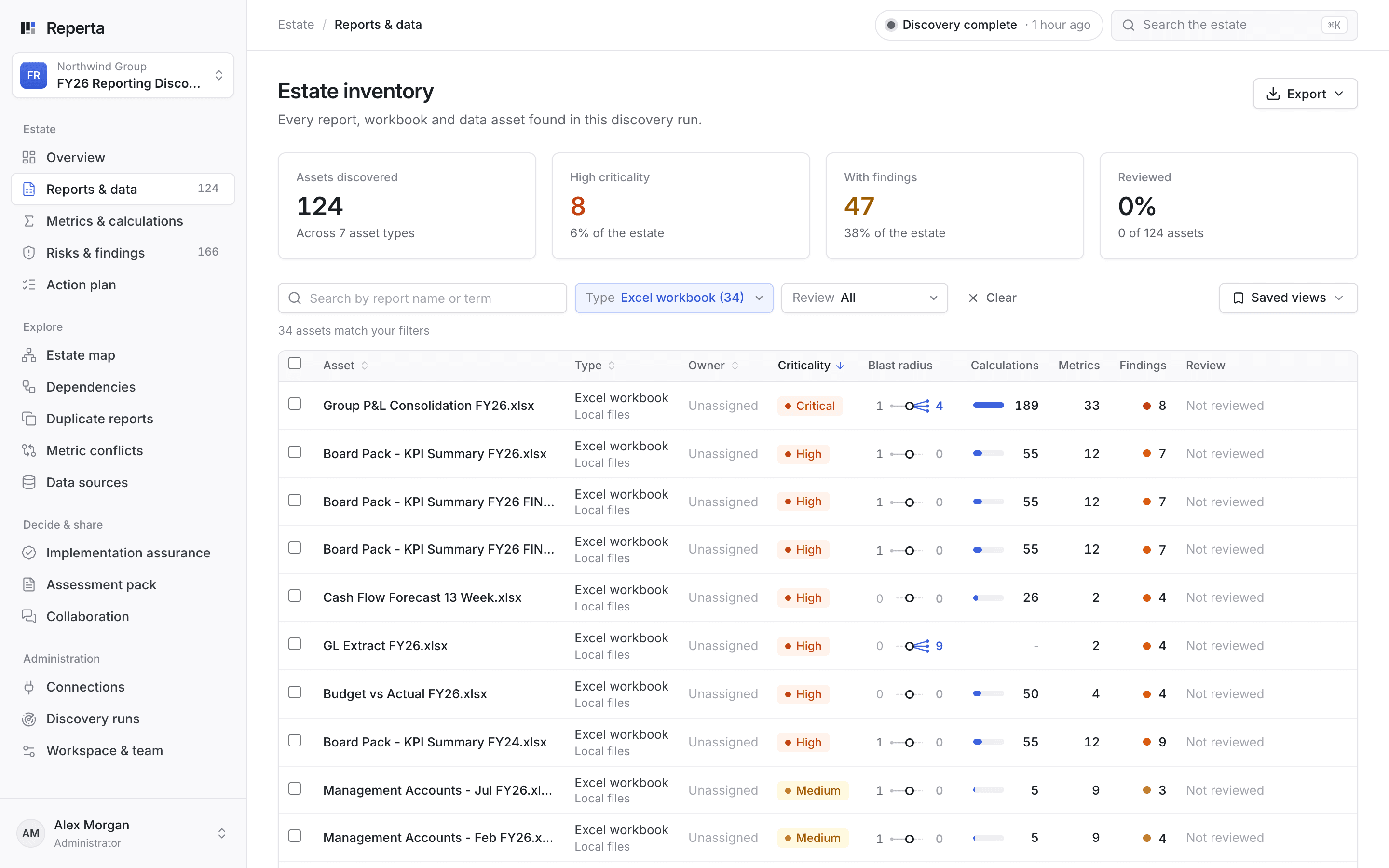
The blast radius of each report: what it reads from and what relies on it.
One week from agreed scope and read-only access. The pack records the estate before anything changes, and your team keeps the workspace to review the evidence behind each finding.
Every discovered report, workbook, query and model, with a weighted health grade.
What feeds what, and where reporting relies on one person or a manual step.
Overlapping reports and competing calculations, with the source logic for each.
A prioritised starting point, with effort, impact and a suggested owner.
Agree the systems, permissions, exclusions and data handling before anything is scanned.
Inspect files, formulas, queries and models using read-only access.
Work through the findings and evidence gaps with your team, then keep the pack.
Find the reports, calculations and dependencies that need to survive the move.
Review duplication and available usage evidence before deciding what to keep or retire.
Compare definitions and find manual hand-offs and single-owner dependencies.
Discovery uses read-only access and never changes your source reports or systems.
Reperta reads structures and calculations. It does not bulk-copy operational tables. Files may be processed to inspect their internal logic.
Restricted, dynamic, encrypted and unsupported dependencies are recorded as gaps, not presented as verified lineage.
The band depends on estate complexity. Scope, access and data handling are agreed before the scan. No subscription.
Small estate
£5k - £15k
per discovery
Mid estate
£20k - £60k
per discovery
Enterprise estate
Custom
quoted per estate
Bring the change you are planning. We will walk through the product, the sample pack and what a discovery of your estate would cover.